The Drum · Weekly AI news, freeSubscribe →

Share
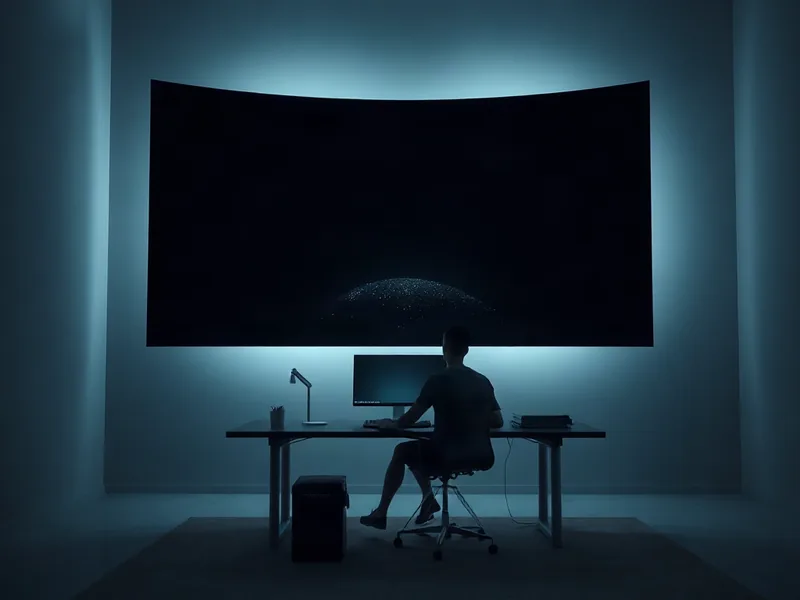
Dell's $3,000 UltraSharp 52 packs 6144 x 2560 pixels and a curved, four-monitor-replacing footprint into one desk-dominating panel. It's genuinely impressive, but our reviewer found it fights you before it wins you over.
Dell's UltraSharp 52 first showed up at CES this year as a curiosity. Now it's shipping for $3,000, and it's exactly as much monitor as that number implies: a 52-inch curved display capable of 6144 x 2560 resolution at 120Hz, built to function as roughly four monitors fused into one panel.
The Register's Simon Sharwood spent time living with the thing, and his review lands somewhere between "genuinely impressive" and "probably not for you." That's a fair place to land for a display this size. Most people don't have the desk, the neck flexibility, or honestly the workload to justify it. But as a demonstration of what's technically possible in consumer display hardware right now, it's a hell of a flex.
Sharwood didn't even get to test it at full spec. He lacked a PC capable of driving the panel at its native 6144 x 2560 and 120Hz, so most of his time was spent at a comparatively modest 3840 x 2160. Even throttled down, the screen real estate was absurd: he screenshotted a single Excel sheet showing 50 columns and 89 rows, 4,450 cells visible at once without scrolling. That's the kind of density that makes spreadsheet jockeys weep with joy or despair, depending on temperament.
Gaming and video held up well too. Sharwood uses Zwift, the virtual cycling platform, as part of his exercise routine, and found the extra size made the experience noticeably more immersive. Motion stayed smooth across Zwift, other games, and streamed video, which is worth noting given how much bandwidth a panel this size is pushing even at reduced resolutions.
The adjustment period was rougher than you'd expect from a straightforward hardware upgrade. Sharwood, self-described as "occasionally-stiff" and "middle-aged," found his neck straining as he swiveled to check content at the screen's edges and corners. Moving a mouse pointer from one extremity to the other felt, in his words, like flapping his arms. That's a real usability cost that spec sheets never mention.
His eyes had a rougher time too. Wearing mild reading glasses for work, he found himself constantly refocusing while scanning across the curved surface. His workaround for the first few days was pillarboxing: running the display at 3840 x 2160 and using only the center portion, leaving the edge pixels dark. It's the same logic as letterboxing a video, and it didn't feel weird to him precisely because he already does that on TV and tablet.
Eventually he graduated to using the whole panel, but getting there wasn't plug-and-play. Each of the three PCs he tested (used one at a time, not simultaneously) needed manual resolution tweaking before text and images stopped looking distorted. Dell's companion software didn't help matters: Sharwood describes it as slow to install, sluggish in operation, and functionally just a wrapper around the Windows Display control panel.
Connectivity had its own headaches. The HDMI link to his Acemagic mini-PC kept dropping, forcing a daily cable reseat, a problem that didn't happen with his regular monitor on the same machine and cable. Swapping cables didn't fix it. Dell's response was to blame the cables, which is a slightly unsatisfying answer when the same setup works fine elsewhere.
Thunderbolt fared better. Connecting his Dell Inspiron Plus 7441 laptop produced some flickering that resolved itself without intervention. A decade-old ThinkPad Carbon X1 connected fine over HDMI but struggled more to land on a workable resolution setting. The takeaway here for anyone considering this monitor: expect a fiddly setup process regardless of which machine or cable you're using, and budget time for it.
Once past the friction, though, Sharwood reported real benefits. He noticed less squinting compared to his everyday display, a seven-year-old 32-inch Samsung without HDR. Watching rugby highlights on lunch breaks, he could pick out fine detail like sponsor logos on team jerseys with ease, a small but telling sign of what HDR and sheer pixel density can do for image clarity.
The built-in speakers were an unexpected highlight. Testing against a rotation that included The Jesus and Mary Chain, Welsh garage-pop act The Bug Club, and power-disco outfit Getdown Services, Sharwood found the audio rendered fuzz, string detail, and bass thump better than he'd anticipated from monitor speakers. Their rear-facing placement caused some initial "where's that sound coming from" confusion, but he adapted quickly.
Physically, the monitor is a beast: 12.95 kg (28.5 lbs), which isn't unmanageable on its own but seems to be pushing the limits of Dell's included stand. Sharwood couldn't get it to sit perfectly level no matter what he tried. The size also makes cable management annoying, since shifting the panel to access ports behind it is awkward in a tight desk setup. His advice: plug in everything you need before you position the thing.
Port layout is reasonable but not perfect. A forward-facing USB hub tucked under the bottom-left edge offers two USB-C ports and one USB-A port. None of them is Thunderbolt, which means connecting a laptop still often requires reaching around behind the monitor rather than using the accessible front-facing hub. Packaging, at least, got real thought: cables and the stand ship in clearly labeled cardboard compartments inside the shell, which matters given the box itself is large enough to be a genuine hassle to transport.
Sharwood's verdict is pragmatic rather than glowing. For his own work, mostly writing, editing, and browsing, the UltraSharp 52 is overkill. He suspects it makes far more sense for people working with dense visual data: Dell's own marketing leans into trading rooms and multi-feed financial dashboards, positioning the monitor as a one-cable replacement for four separate screens and stands. That framing tracks with what the hardware is actually good at.
For everyday knowledge work, a curved 52-inch panel at this price and with this much setup friction is hard to justify. But as a showcase of where consumer displays can go, resolution, HDR, integrated audio, and sheer immersive scale in one box, it's a legitimately fun piece of engineering to spend time with, even if most desks, and necks, aren't built for it yet.
Tags
Original Sources
Dell's 52-inch enormo-monitor is a tsunami of impractical fun
↗ https://www.theregister.com/personal-tech/2026/09/12/dells-52-inch-enormo-monitor-is-a-tsunami-of-impractical-fun/5290753
About the author
Kai built ML infrastructure at a Bay Area startup before developing an obsession with transformer architectures and inference optimisation that eventually pulled him out of product work entirely. A stint at a compute research lab sharpened his instinct for what actually matters in a model release versus what is marketing. He writes from the inside — from the perspective of someone who has debugged the systems he is describing at three in the morning. He is allergic to hype and instinctively drawn to the unglamorous plumbing questions that everyone else skips over.
More from The Engineer →This Week's Edition
13 September 2026
30 articles
Related Articles

UT Austin Launches UT Dell Medicine, Plans AI-Native Hospital From the Ground Up
Products & Applications · 6 min

GM Reverses Course, Commits $2 Billion to Hybrid Production in Michigan
Products & Applications · 5 min
Liquid I.V. Taps Former Poppi Marketer as Category Competition Heats Up
Products & Applications · 5 min
Related Articles
UT Austin Launches UT Dell Medicine, Plans AI-Native Hospital From the Ground Up
Products & Applications · 6 min
GM Reverses Course, Commits $2 Billion to Hybrid Production in Michigan
Products & Applications · 5 min
Liquid I.V. Taps Former Poppi Marketer as Category Competition Heats Up
Products & Applications · 5 min
More Stories
© 2026 Cedar & Bloom. All rights reserved.